
beeline
ПАО "ВымпелКом"Communication
4.11.01K Reviews
- Version
- 5.45.6
- Installs
- 50.00M
- Age Rating
- Everyone
Screenshots

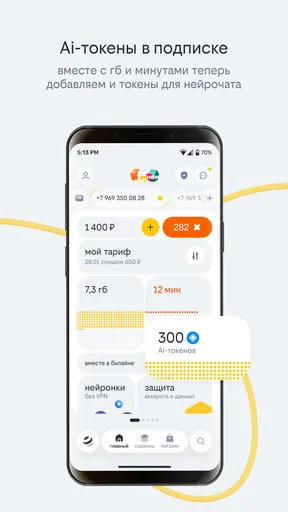
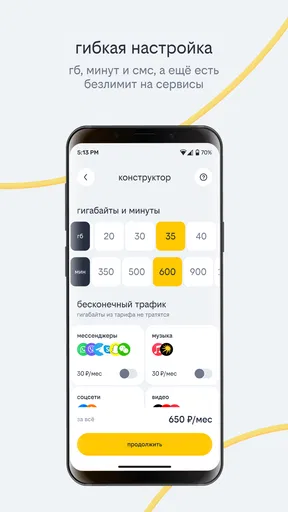
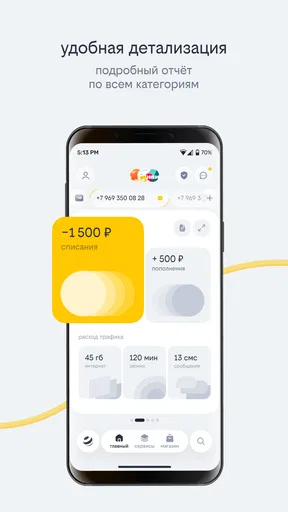
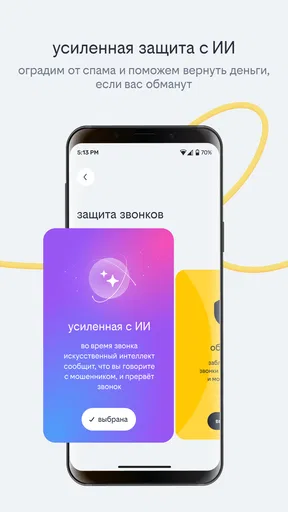
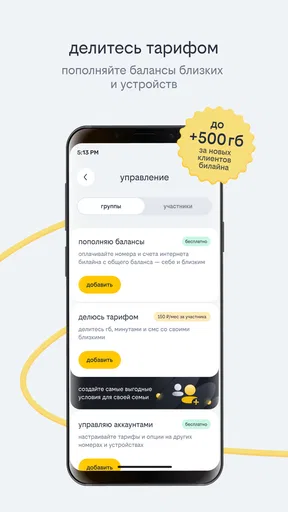
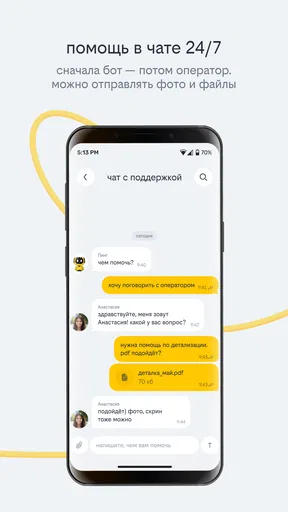
Our Review of beeline
 Analysis by Appyee
Managing a mobile account usually becomes annoying at exactly the wrong moment: when I need to check a balance, understand a charge, or change something while away from a shop. Beeline is built around removing that trip. It is a communication app from ПАО "ВымпелКом" that puts a self-service account office on an Android or iOS phone, and that single idea is more important than its short store description suggests.
My view is straightforward: this is most useful when your mobile service is already with Beeline and you want a practical control panel rather than another general-purpose chat or calling app. It is free, rated for Everyone, and has become a familiar tool for a large number of subscribers. The app has an average rating of 4.1 from around 1.6 million ratings, with over 50 million installs, so it clearly serves a broad audience rather than a narrow technical group.
Turning a customer account into a phone-based control panel
I find the most useful way to think about this account app is as a starting point when a mobile-service question appears, not as a promise that every problem can be fixed on the phone. In the next section, I focus on how connectivity affects those checks in everyday situations, and why it helps to distinguish an account issue from a broader network problem.
The capability that matters most
The central strength of beeline is self-service. Instead of treating the phone as something that only connects to the network, the app gives me a place to handle account-related tasks from the same device I use for mobile service. That changes the experience from “contact support and wait” to “check first, then decide what to do.”
That distinction matters in ordinary situations. If I am about to travel, I want to review my current mobile setup before leaving. If a payment or charge looks unfamiliar, I want to inspect the account without searching through old messages. If someone in my household asks whether their line needs attention, a dedicated account app is more convenient than trying to remember a support number or visit a retail location.
I would not confuse this with a replacement for every communication tool on a phone. It is not primarily where I would go to message friends, organize group conversations, or make internet calls with people on other networks. Its value comes from the relationship between the app and the Beeline account. The closer my need is to managing that relationship, the more useful the app becomes.
The developer, ПАО "ВымпелКом", is clearly presented rather than hidden behind an unrelated product name. That is reassuring when I am choosing an app that deals with an important service account. I still recommend checking the developer name before installing, especially if several similarly named applications appear in a search.
Why this is better than the usual alternatives
The usual alternatives are a browser page, a phone call, a retail store, or a general support chat. Each has a place, but none feels as direct for quick account checks. A browser can work, yet logging in through a mobile page often feels like navigating a desktop system squeezed onto a small screen. A call is useful for complicated problems, but it is excessive when I only need to inspect a current service detail. A store is the slowest option for something that should take a moment.
The app’s advantage is not that it makes every task effortless. It is that it puts the first step in a predictable location. I can open one app, look at the account, and decide whether I can solve the issue myself or need human help. That small change reduces uncertainty, which is often the real frustration in mobile-service management.
There is also a useful psychological benefit to having account information in one place. I am less likely to rely on an old text message, a remembered plan name, or a screenshot that may no longer be current. For families and people who manage more than one mobile line, a dedicated account view can be easier to understand than scattered notifications.
How I would use it in practice
I would begin by installing the app and signing in with the Beeline account connected to my service. After that, I would treat it as a quick routine rather than an app that needs constant attention. Open it when I need to verify something, make the relevant change if the available controls cover it, and close it again. That is a better fit for this product than leaving it open all day.
A realistic example is preparing for a weekend away. Before leaving, I would open the account office, review the current state of my mobile service, and check whether anything needs attention. If I notice that the arrangement is not suitable for the trip, I can investigate from the phone instead of waiting until I am already away from home. The important benefit is preparation: the app lets me check before a small uncertainty becomes an inconvenient interruption.
Another useful workflow is checking a charge as soon as I notice it. Rather than immediately assuming the bill is wrong, I would use the app to inspect the account and identify whether the issue is a recurring service, a recent change, or something that requires support. Even when the app cannot resolve the situation by itself, it helps me approach support with a clearer description of the problem.
For a parent managing a family member’s line, the app can also serve as a quick checkpoint. I would use it before adding anything or changing a service, making sure I am looking at the correct account. That sounds obvious, but account-management apps can become confusing when several numbers, profiles, or devices are involved. My practical tip is to slow down at the confirmation stage and verify which line the action affects before accepting it.
Small habits that make the app more useful
First, I would avoid opening the app only when something has gone wrong. A brief occasional check makes it easier to recognize what is normal for the account. That gives me a reference point when a charge or service change later looks unfamiliar.
Second, I would use the app as a decision tool, not as proof that every issue can be solved automatically. If the account view explains the situation, self-service is convenient. If the matter involves a disputed charge, a technical fault, or an account detail that needs verification, I would move to support rather than repeatedly searching through the same screens.
Third, I would keep the app updated when possible. The current version is 5.45.6, and using the current release is sensible for an account-management tool because layouts and service controls can change. I would also pay attention to the sign-in state on a shared or borrowed phone and avoid leaving an account open where another person could access it.
A fourth habit is to take a moment to read the wording around any optional service before confirming it. Self-service is fast, but speed can work against me if I tap through a screen without understanding what is being changed. The app is most helpful when it reduces unnecessary contact with support, not when it encourages rushed decisions.
The best everyday scenario
The strongest scenario is a Beeline customer who wants independence for routine account questions. Imagine someone who is commuting, notices that their service is behaving differently, and wants to check the account before spending time on a call. The app gives that person an immediate first stop. They can review the account, decide whether the situation is expected, and then choose between self-service and support.
This is particularly valuable for people who dislike phone menus. A call can be appropriate when the problem is complicated, but it is frustrating when the only goal is to find basic account information. The app changes that interaction from a conversation into a visual check, which is often faster for simple questions and easier to repeat later.
It also suits people who prefer handling service matters outside business hours. The app is available on the phone rather than tied to a shop visit, so it fits around work, travel, and family responsibilities. I would still treat it as a convenience layer, not a guarantee that every support situation disappears. Its best role is reducing the number of occasions when I need assistance for something routine.
Where the experience can become frustrating
The biggest limitation is built into the app’s purpose: its usefulness depends on having Beeline service to manage. If I use another carrier, the account-office concept offers me little practical value. Even if I am comparing mobile providers, this is not the kind of app I would install for general communication. I would choose a carrier-neutral tool or the relevant provider’s own application instead.
There is another trade-off between convenience and complexity. A self-service office can expose more account choices than a simple balance screen, and more choices require more careful reading. New subscribers may need time to understand the terminology used for their service. I appreciate having control, but I do not want a quick tap to become an unwanted change, so I recommend reviewing confirmation screens rather than treating them as routine pop-ups.
Account access can also feel like friction when I am in a hurry. A service-management app has to identify the right customer and line, and that is more involved than opening a weather or messaging app. I consider that acceptable because the app is dealing with account information, but it means I would not judge it by the standard of instant entertainment apps.
Some problems are also better handled by a person. If the account appears inconsistent, a payment needs investigation, or a network issue continues after the account looks normal, I would stop experimenting and contact Beeline support. The app is excellent as a first diagnostic stop; it is not a substitute for every form of customer service.
Who should install it, and who should skip it
I would recommend it to Beeline subscribers who frequently travel, manage a family line, prefer visual self-service, or simply want a reliable place to check their mobile account. It is also a sensible choice for anyone who regularly forgets plan details and would rather verify the current situation than depend on memory.
I would be more cautious about recommending it to someone who rarely changes anything and is perfectly happy using a browser or calling support. Installing another app may not add enough value for that person. Likewise, people who need a broad communication platform should look elsewhere; this app’s focus is account management, not replacing their existing messaging and calling tools.
The age rating of Everyone makes it broadly approachable, but ease of use still depends on how comfortable someone is with account screens and service terminology. For an older relative, I would help with the initial setup and explain the difference between checking information and confirming a change. Once that distinction is clear, the app can be much less intimidating than a phone menu.
Compatibility, cost, and long-term usefulness
The app is free, which removes the main barrier to trying it. It supports Android from version 8.0 onward, so anyone with an older device should check compatibility before planning around it. On a supported phone, I would judge the installation worthwhile if I expect to manage Beeline service more than occasionally.
The product has been available since August 1, 2011, and its continued presence alongside a large install base suggests that the basic account-office approach has lasting usefulness. I do not see that longevity as a reason to assume every screen will suit every user, but it does make the app feel like an established part of the service rather than a temporary experiment.
Its rating of 4.1 is a useful signal of generally positive reception without suggesting perfection. That matches my balanced impression: the app solves a real problem and can save time, but it cannot remove the need for support in complicated cases, and it asks users to pay attention when making account changes.
My final recommendation
The real benefit is control at the moment I need it. Beeline turns a mobile account into something I can inspect and manage from the phone, which is more practical than waiting for a call, searching a browser page, or visiting a shop for routine matters. Its strongest use is not constant engagement; it is the quick, deliberate check before a small account question becomes a larger inconvenience.
I would install it if I were a Beeline customer, especially if I travelled, managed another line, or disliked phone-based support. I would skip it if I wanted a general communication app or had no Beeline account to manage. Used with a little care around account selection and confirmation screens, it is a useful self-service companion rather than a flashy app that tries to do everything.
For me, that focused purpose is the reason to recommend it. The app does not need to replace every tool on my phone. It only needs to make routine Beeline account tasks easier to start, easier to understand, and easier to handle on my own.
Verdict
Strengths of beeline
- Simple interface makes essential features easy to find.
- Useful tools help users manage their mobile account independently.
- Notifications can keep you informed about balances, offers, and account activity.
- Account information is available without needing to contact customer support.
- Convenient for checking services while away from a computer.
Limitations of beeline
- Some features may vary depending on your country or Beeline plan.
- Requires an active internet connection for most account functions.
- Login or verification issues can prevent quick access to your account.
- Promotional messages may feel excessive for some users.
- Older devices may experience slower performance or compatibility issues.
Similar Picks in This Category
View All
Google Messages
Google LLC4.6

Gmail
Google LLC4.1

Google Meet
Google LLC4.4

Google Chrome
Google LLC4.1

WhatsApp Messenger
WhatsApp LLC4.6

Carrier Services
Google LLC4.2
Frequently Asked Questions
What is Beeline, and what can I use it for?
Beeline is a mobile application associated with Beeline telecommunications services, giving customers access to useful account and network-management tools in one place. Depending on your country and the available version, you may be able to check your balance, manage tariffs, purchase data packages, review usage, pay bills, and activate additional services. The exact features can vary by region and subscription type.
Is the Beeline app free to download and use?
The Beeline app is generally free to download from the official Google Play Store or Apple App Store. However, some actions completed inside the application may involve charges, such as buying mobile data, renewing a plan, subscribing to entertainment services, or making certain payments. Mobile data charges may also apply if you use the app without a Wi-Fi connection, so check the displayed price before confirming an order.
Do I need to be a Beeline customer to use the application?
Most of the app’s important functions are designed for Beeline customers and require a Beeline phone number or account. Registration may involve entering your number and confirming it with an SMS code. Some versions may allow limited access to general information without signing in, but balance checks, payments, package management, and personal usage details normally require account verification.
Can I use Beeline to manage my plan, balance, and payments?
Yes, account management is one of the main reasons to install Beeline. After signing in, you can typically view your remaining balance, mobile data, minutes, and messages, as well as check your current tariff or package. Depending on your region, the app may also support card payments, automatic top-ups, package renewal, and activation of extra services. Available options differ between markets.
Is the Beeline app safe, and what permissions does it require?
Downloading Beeline from an official app store is the safest way to obtain the genuine application. The app may request access to information needed for account verification, notifications, phone-related functions, or payment and support features. Review permissions during installation and avoid unofficial APK files or links. For additional protection, use a strong account password, keep the app updated, and never share SMS verification codes.
